Three Different Jobs, Three Different Types of Memory
When your phone slows down, runs out of space, or asks you to free up storage, it helps to know which type of memory is actually the problem. Most smartphones rely on three distinct storage systems - internal storage, RAM, and cloud storage - and each one does a completely different job.
| Internal storage type | Flash memory (non-volatile) |
| RAM type | Volatile (cleared on restart) |
| Typical phone RAM range | 4 GB - 16 GB (Common range across mid-range and flagship devices) |
| Typical internal storage range | 64 GB - 512 GB (Common range across consumer smartphones) |
| Cloud storage dependency | Requires active internet connection |
| User-expandable storage | Via microSD on select Android devices; not available on most iPhones |
Mixing these up leads to bad decisions, like buying a phone with massive internal storage when what you actually needed was more RAM, or paying for extra cloud space when the real issue is a full camera roll on the device itself. Understanding the difference takes just a few minutes and applies to every smartphone you'll ever use. See what phone specs actually mean for a broader look at how these numbers appear on spec sheets.
Internal Storage: Your Phone's Hard Drive
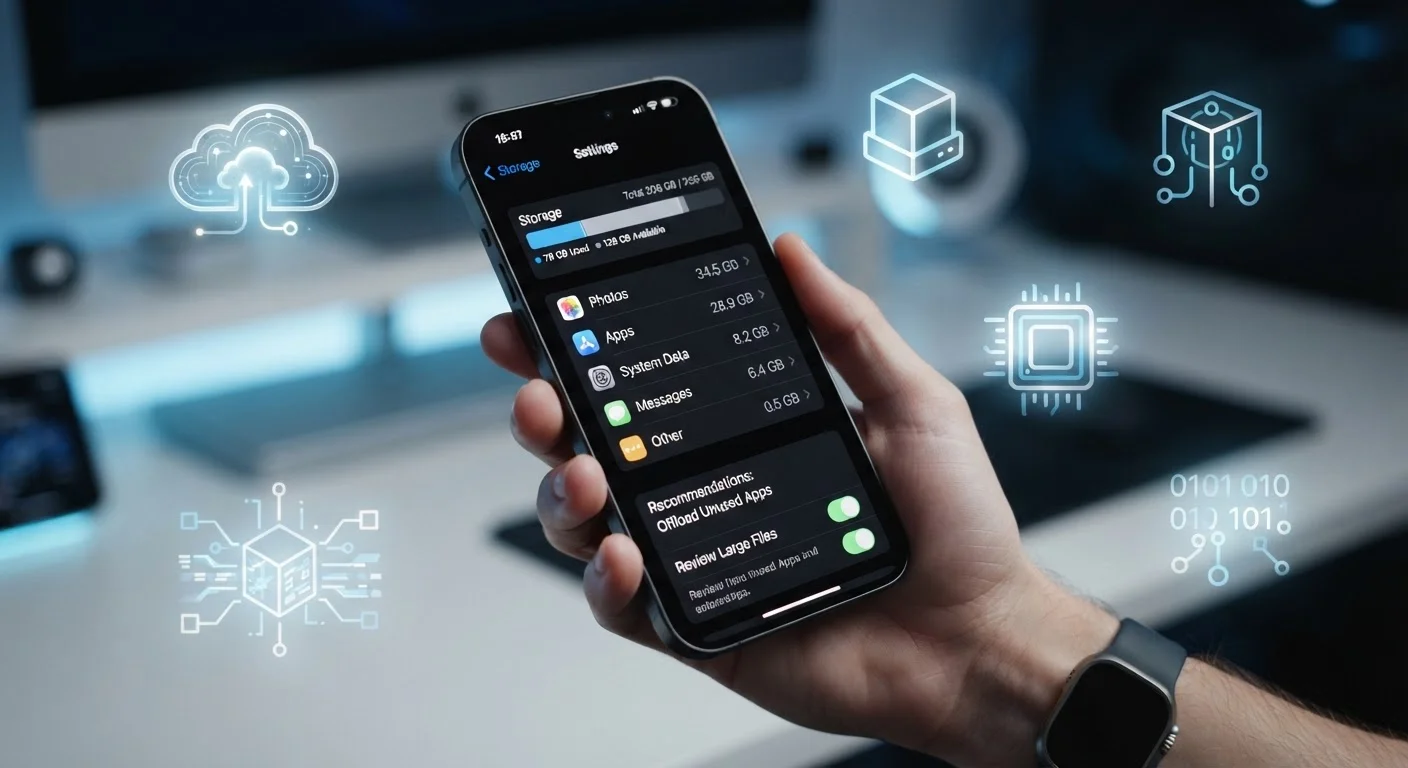
Internal storage is the long-term memory built into your phone. It holds everything that stays put: your installed apps, downloaded music, photos, videos, documents, and the operating system itself. Think of it like a filing cabinet - it keeps things organized and available whether the phone is on or off.
Internal Storage
The built-in flash memory on your phone that permanently holds your apps, photos, videos, and files. It retains data even when the phone is powered off.
RAM (Random Access Memory)
Short-term working memory that your phone uses to run active apps and processes. It is fast but temporary - data in RAM is lost when the phone restarts.
Cloud Storage
Remote servers operated by a service provider where your files are stored over an internet connection. Your data is accessible from any device with the right credentials.
Cache
Temporary data saved by apps in RAM or internal storage to make repeated tasks faster, such as loading a previously visited webpage more quickly.
Flash Memory
The type of chip used for internal phone storage. It is non-volatile, meaning it holds data without a continuous power supply.
Internal storage is measured in gigabytes (GB). A photo taken at full resolution might use 3-5 MB; an hour of HD video can use several gigabytes. Apps vary widely - some take under 100 MB while others, especially games, can consume 2-4 GB each.
When your phone says "storage is almost full," this is what it means. Deleting unused apps, clearing downloaded files, or moving photos to cloud backup are the usual fixes. Some Android phones accept a microSD card to add more space; most iPhones do not offer this option. For a broader introduction to managing your device, see Smartphone Ownership From Day One.
RAM: Your Phone's Workspace
RAM (Random Access Memory) is short-term, active memory. It holds whatever your phone is currently doing: the app open on your screen, the browser tabs you switched away from, the music player running in the background. When you switch between apps quickly and they resume instantly, that's RAM at work.
More RAM generally means smoother multitasking - your phone can keep more apps loaded simultaneously without having to reload them from scratch. Less RAM means apps get kicked out of memory faster, which you notice as apps reloading when you return to them.
RAM is completely separate from internal storage. A phone with 256 GB of internal storage and only 4 GB of RAM can still feel sluggish under a heavy workload. RAM is erased every time you restart your phone - it never holds data permanently. The way Android and iOS each manage RAM differs meaningfully; Android and iOS handle background processes differently, which affects how much RAM each platform needs.
Cloud Storage: Space That Lives Elsewhere
Cloud storage means your files are saved on remote servers run by a service provider, not on your phone at all. When you upload a photo to a cloud service or sync a document online, that file travels over your internet connection to a data center and sits there until you need it.
The main advantage is offloading data from your device - useful when internal storage fills up. The main limitation is dependency on a network connection. Without Wi-Fi or mobile data, cloud-stored files may be inaccessible. Some services allow selective offline access, but this requires planning ahead.
Cloud storage does not improve performance. It will not make your phone faster, and it has nothing to do with RAM. It is simply a way to store more files without using physical space on the device itself. Most major platforms provide a modest amount of free cloud storage, with paid tiers available for more capacity.
How to Use This Knowledge
When diagnosing a phone problem, match the symptom to the right type of storage:
- Phone says it's full: Internal storage is the issue. Delete files, remove unused apps, or move media to cloud backup.
- Apps reload every time you switch: RAM is likely limited. Closing background apps or restarting the device can help temporarily; a phone with more RAM is the longer-term fix.
- Can't access files away from Wi-Fi: Those files are in cloud storage only. Download them locally if you need offline access.
When shopping for a phone, these numbers each matter independently. A spec sheet might show "128 GB / 8 GB" - that's 128 GB of internal storage and 8 GB of RAM. Neither figure describes cloud storage, which is a separate service account you set up yourself. For a fuller picture of how specs translate to real-world performance, see what RAM, storage, and processors actually mean.