
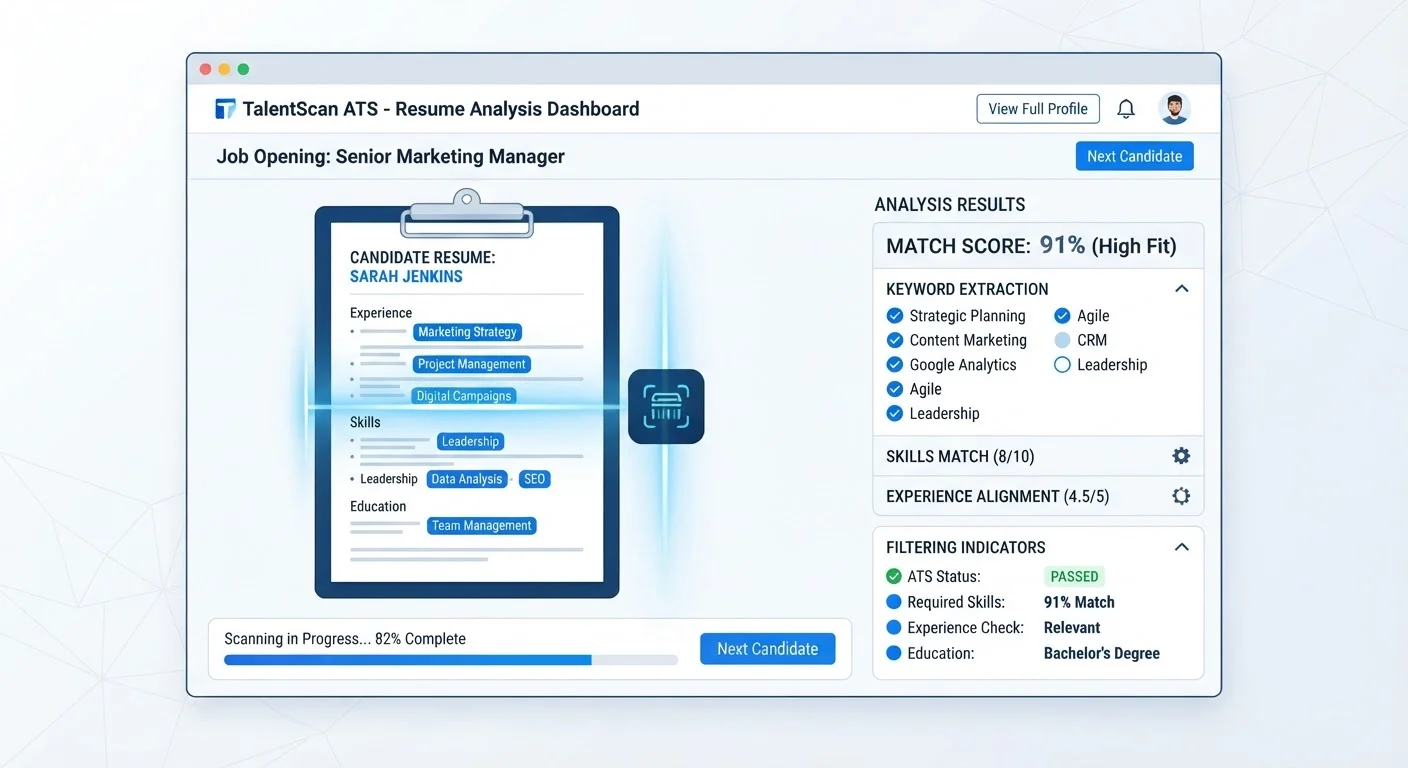
What Happens the Moment You Click Submit
When you apply for a job through a company's online portal or a job board, your resume rarely lands directly in a recruiter's inbox. Instead, it enters an ATS - software designed to handle the volume of applications that modern employers receive. A single corporate job posting can attract hundreds of applicants; ATS software exists to make that workload manageable.
The system parses your resume, breaking it into structured data: your job titles, employers, dates, skills, education, and contact information. It then compares that data against criteria the hiring team has set - required skills, minimum experience, specific credentials - and assigns your application a score or places it in a ranked list. Recruiters typically start reviewing from the top of that list.
This is why a well-qualified candidate can go unnoticed: if the ATS misreads your resume or finds insufficient keyword overlap with the job description, your application may be buried or bypassed entirely. Understanding this process gives you a real advantage. For a broader look at terminology you'll encounter throughout your search, see Key Terms Every Job Seeker Should Understand.
Why Formatting Can Work Against You
ATS parsers are functional, not sophisticated readers. They extract text in a predictable sequence, and anything that disrupts that sequence creates parsing errors. Common resume design choices that confuse ATS software include:
- Tables and columns: Text inside table cells is often read out of order or skipped entirely.
- Headers and footers: Information placed here - including your contact details - may not be parsed at all.
- Graphics, logos, and icons: These are invisible to most parsers.
- Unusual fonts and decorative formatting: Can cause character recognition errors.
- Text boxes: Content inside floating text boxes is frequently ignored.
A clean, single-column layout with standard section headings - Work Experience, Education, Skills - gives parsers the clearest path through your document. Save creative formatting for industries where a human will request your portfolio separately.
Test Your Resume Before Applying
Several free and low-cost tools allow you to paste a job description and your resume to see how well they match. While these tools don't replicate any specific employer's ATS exactly, they highlight keyword gaps and formatting issues worth fixing before you submit. Treat the results as a directional check, not a definitive score.
How Keywords Actually Work in This Context
Keyword matching is the mechanism most people have heard about, but it's commonly misunderstood. ATS systems don't just search for a list of buzzwords - they compare the language in your resume against the language in the job posting. This means the specific phrasing matters.
If a posting asks for "project management" and your resume only says "led initiatives," the system may not register a match - even though the experience is equivalent. Reading the job description carefully and mirroring its terminology (where accurate to your background) is one of the most practical things you can do.
What you should avoid: padding your resume with keywords that don't reflect real skills, or hiding white text on a white background to game the system. Modern ATS platforms flag these tactics, and recruiters who do read your resume will notice the mismatch immediately. For a clear method of tailoring your resume ethically and effectively, see Tailoring a Resume to a Job Posting Without Misrepresenting Yourself.
~75%
Resumes filtered before human review
Industry estimates suggest roughly three in four resumes submitted to high-volume employers are screened out by ATS before reaching a recruiter.
98%
Fortune 500 companies using ATS
Research from Jobscan and similar workforce analytics firms indicates nearly all large U.S. employers rely on ATS software to manage application volume.
What This Means for Your Application Strategy
Knowing how ATS screening works changes how you should approach your search. Submitting the same generic resume to dozens of postings is less effective than customizing each application - a reality that runs counter to the instinct to maximize volume. For more on why spray-and-pray applications tend to backfire, see Why Applying to Hundreds of Jobs Rarely Works.
Practical steps that consistently improve ATS performance:
- Use a clean .docx or simple PDF format with standard section headings.
- Mirror the language of the job description in your skills and experience bullets.
- Spell out acronyms at least once (e.g., "Search Engine Optimization (SEO)") since ATS systems vary in how they handle abbreviations.
- Include a dedicated skills section listing relevant hard skills explicitly.
- Review your contact information placement - keep it in the main body, not in a header or footer.
Before you submit any application, use the checklist in Before You Hit Send: A Job Application Readiness Checklist to confirm your resume and supporting materials are fully prepared.